
How OnlyCash works.
Start in OnlyCash or trade directly in NinjaTrader. OnlyCash connects to your platforms locally, on the same Windows PC.
Three apps. One local connection.
Choose where the entry starts. Follow the connection on your PC.
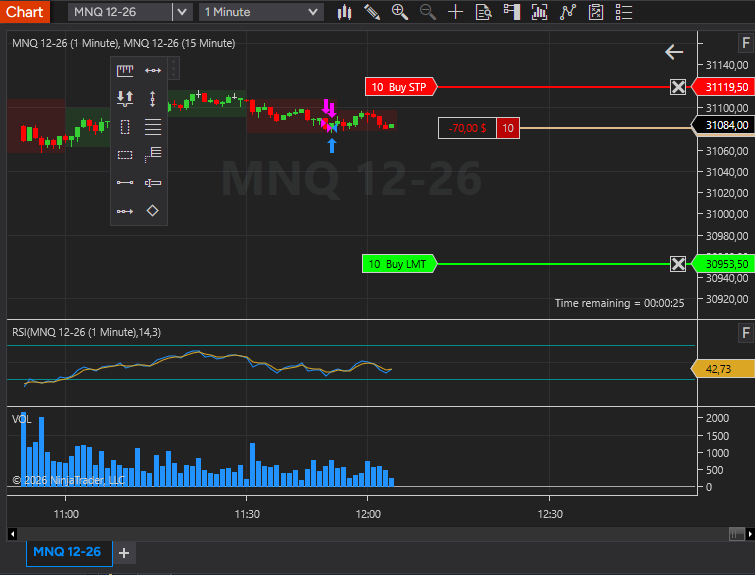
The entry
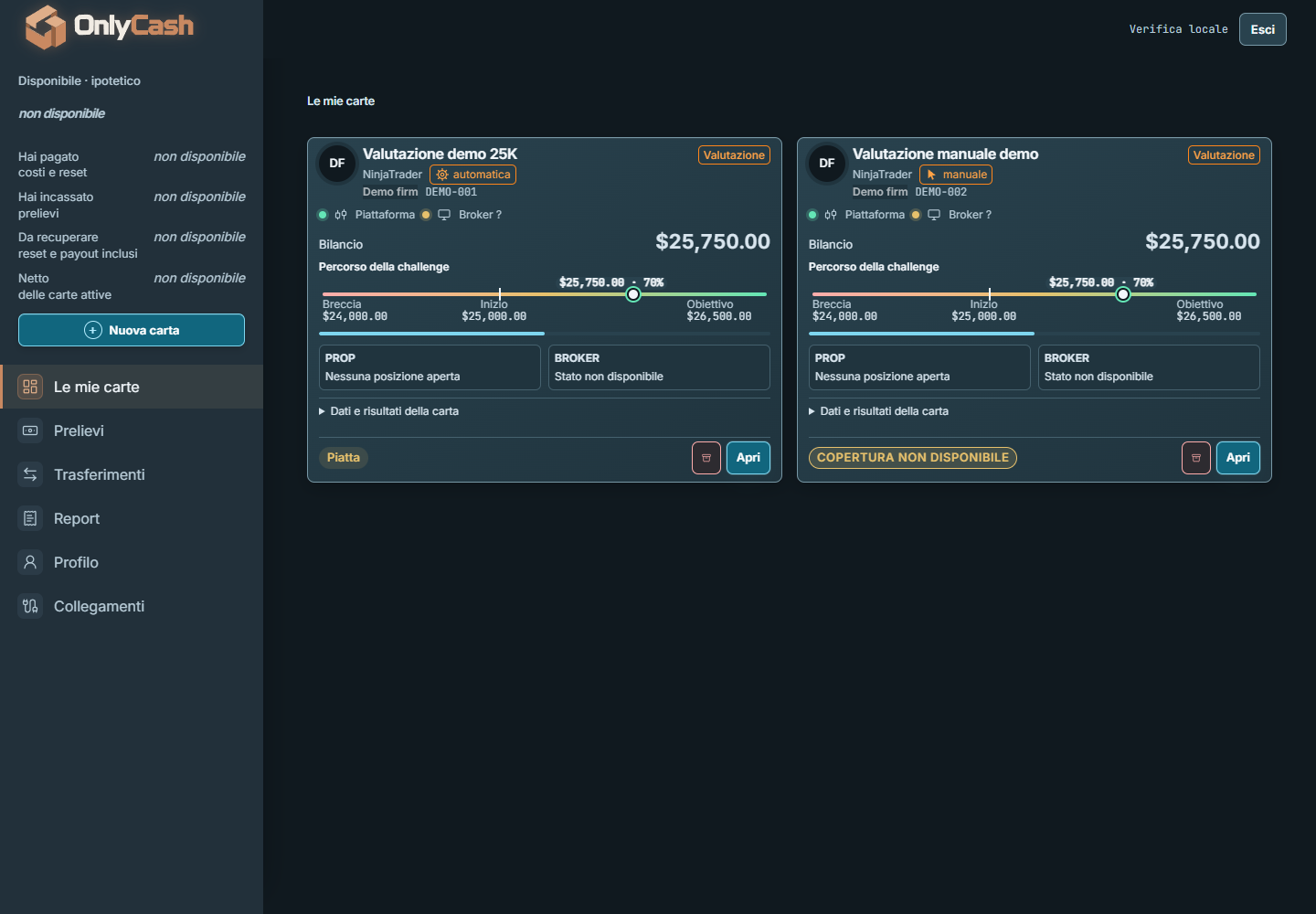
The local control
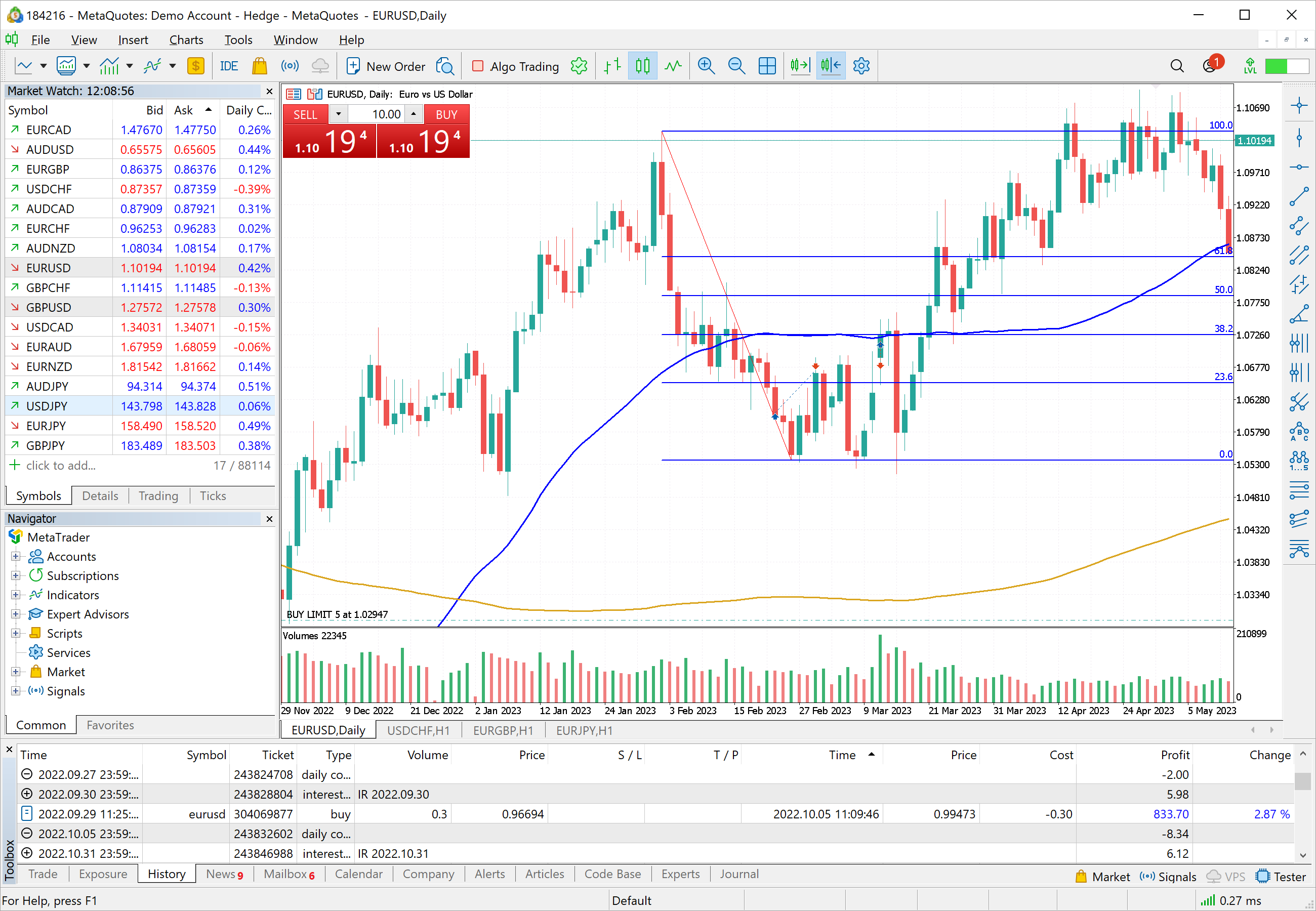
The configured MT5 action
A local connection, from the entry to the configured MT5 action.
Automatic
-
You start in OnlyCash. The order is saved locally, then sent to NinjaTrader.
-
OnlyCash reads the entry actually observed in NinjaTrader.
-
OnlyCash sends the configured hedge order to MT5.
Manual
-
You place the entry manually in NinjaTrader.
-
OnlyCash detects it on the account linked to your card.
-
OnlyCash sends the configured hedge order to MT5.
Example: a linked card with automatic MT5 handling enabled. Configuration and observed platform conditions still apply.
No external API service routes these orders. They do not pass through our servers.
Your platforms still connect to their market services. Account, subscription and update services are separate.
Interface previews. Illustrative route, not a live trading session. OnlyCash is shown in Italian.
What if an opening order is not confirmed?
From click to confirmation
Illustrative walkthrough. No order is sent.
Step 1 / 5
You click
This is the route of the orders OnlyCash sends, from automatic cards.
- You click
- Saved on your PC first — before anything is sent
- Sent to your platform
- Your platform shows what happened
- Filled only when the platform shows it
No confirmation for an opening order → The card says ‘We don’t know’: it never sends that order again, and asks you to look at your platform.
See a card’s trade history
9 Oct 14:05 UTC Funded 100K · MNQ · Funded Closed
| Side | Volume | Entry | SL | TP | Exit | Net P&L |
|---|---|---|---|---|---|---|
| Buy | 1 | 18,432.25 | 18,401.00 | 18,494.75 | 18,401.00 | −$62.50 |
Illustrative interface. Demo data. Not anyone’s results. Shown in English here; the app’s interface is in Italian today.
What it is
Each prop account belongs to one card. A card keeps the money that came in and went out, the payouts and the record of every trade.
It is not a trading platform and it does not replace one. You keep using yours.
Two ways in
With a manual card you place the trade on your platform, and OnlyCash reads back what happened.
With an automatic card you click in OnlyCash, where you set stop and target before the trade. Before OnlyCash sends an order, it saves it on your PC. If the app or the PC stops halfway, the record is still there.
What leaves your PC
Our servers see your OnlyCash account (email and the name you chose), your subscription, how many cards are open, the app version and edition, update checks, and a wallet’s public address only if you add one. Payment is handled by Stripe. Never on our servers: your orders, your trading-platform passwords or your trading funds.
What it does not do
It does not decide for you: the strategy is yours, the method is yours.
It promises no outcome.
What you need
A PC with Windows 10 or 11, your platform already installed, and a subscription.
To start you need an account: you make one from the sign-in page.

